Okasha
Sammer
How to Rank in Multiple Cities as a Contractor (Without Moving Your Office)
Jump To
You serve twelve cities. You rank in one.
Your office is in Dallas. You drive to Frisco, Allen, Plano, McKinney, and eight more cities every single week. You complete jobs there. You have happy customers there. You have zero visibility there.
Every time a homeowner in Plano searches for your trade, they find your competitor. Not because that competitor does better work. Because their website tells Google they operate in Plano. Yours does not.
This is a structural problem. And it has a structural solution.
This guide covers exactly how home service contractors rank in multiple cities without opening a second office, without running ads in every market, and without duplicating content that gets penalised by Google.
Why Contractors Are Invisible Outside Their Office City
Google uses three signals to decide who ranks in local search: relevance, distance, and prominence.
Distance is the only factor you cannot control. Relevance and prominence are completely within your control.
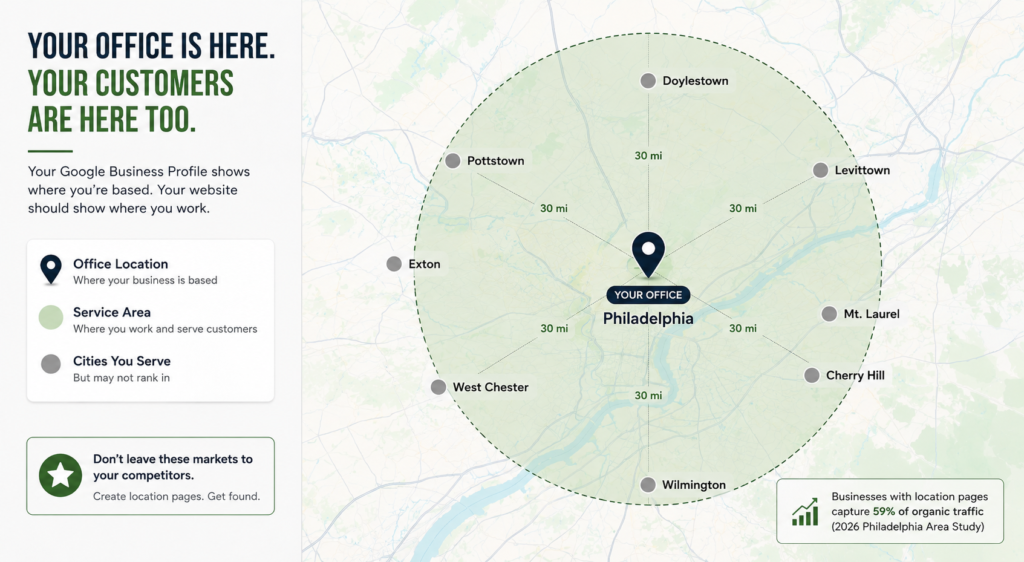
The challenge for most home service businesses is simple. Google knows where your business is located. It sees your Google Business Profile address, your website’s contact page, and your schema markup. All of these point to a single location, so Google naturally associates your business with one city.
That limits your visibility.
A 2026 study of contractors in the Philadelphia area found that just 6% of businesses captured 59% of all organic search traffic. The businesses dominating search results shared one key advantage: they had dedicated location pages for every city they served.
The contractors that were missing from search results in neighboring cities had one thing in common: they had no city-specific pages.
Your Google Business Profile tells Google where your business is based.
Your website tells Google where your business works.
If you don’t have individual service area pages for every city you serve, you’re giving those local search opportunities to competitors who do.
The Difference Between Map Pack Rankings and Organic Rankings
Before building any city pages, you need to understand one distinction that most contractors miss entirely.
| Map Pack Rankings | Organic Rankings |
|---|---|
| Driven by Google Business Profile proximity | Driven by your website’s city pages |
| Difficult to rank far from your physical office | No physical office required in the target city |
| GBP service area settings help indicate your coverage | Dedicated city pages target searches in each location |
| Compete for positions 1–3 in the Map Pack | Compete for positions 1–10 in the organic (blue link) results |
| Calls often come directly from Google Maps | Visitors land on your city page before contacting you |
You cannot rank your GBP in a city where your office is not located. Google simply will not show a Map Pack result fifteen miles from the searcher when closer businesses exist in that city. That is proximity at work.
What you can rank in that city is the organic results below the Map Pack. And organic clicks from a searcher who was not satisfied by the Map Pack three are highly qualified. They are still looking for a contractor. Your city page is what captures them.
This distinction matters because it shapes your entire strategy. For a deeper understanding of how Google weights these signals, read the local search ranking factors breakdown
What a Service Area Page Actually Is (and What It Is Not)
A service area page is a dedicated page on your website built specifically for one city or area you serve.
It is not:
A copy of your homepage with the city name replaced
A list of cities in your website footer
A Google Business Profile service area setting
Instead, it is a standalone page with unique, location-specific content written for a homeowner in that city who is actively searching for your services.
What Google Considers a Legitimate Service Area Page
| Element | What It Should Include |
|---|---|
| Unique Local Content | References to the specific city, local landmarks, suburbs, neighborhoods, or ZIP codes |
| Optimized H1 Heading | A heading such as “[Your Service] in [City Name]” that matches the search query |
| Local Social Proof | At least one customer review, testimonial, or completed project from that city |
| Schema Markup | Service schema with the serviceArea field specifying that city |
| Google Maps | An embedded map showing your service coverage for the area |
| Clear Call to Action | Your phone number, booking form, or quote request button |
What Google Considers a Doorway Page
| Poor Practice | Why It’s a Problem |
|---|---|
| Identical content across multiple city pages | Only the city name changes, making the pages appear duplicated |
| No unique local information | Created only to rank for keywords rather than help visitors |
| Thin pages with fewer than 300 words | Provide little or no value to users |
| Every city page leads to the same generic contact form | No location-specific information or experience |
Choose Which Cities to Build Pages For
Not every city in a 50-mile radius deserves its own page. Building city pages for markets you cannot realistically serve creates compliance problems with Google and wastes your content budget.Choose cities based on three criteria.
Criterion 1:
You actively complete jobs there
If you have completed at least three to five jobs in a city in the past 12 months, it is a legitimate market. You have real customers you can reference, real proof of work, and a genuine reason to claim presence there.
Criterion 2:
Search volume justifies the investment
Open Google Search Console and look at which queries are already driving impressions for your site. If you are appearing for “[your trade] [city name]” but not ranking, that city has search volume and you have a gap to fill.
You can also search “[your trade] + [city name]” in a private browser and see how competitive the existing results are. A city where the top results are weak, generic, or from directories is a fast opportunity.
Criterion 3:
The city is within your realistic service radius
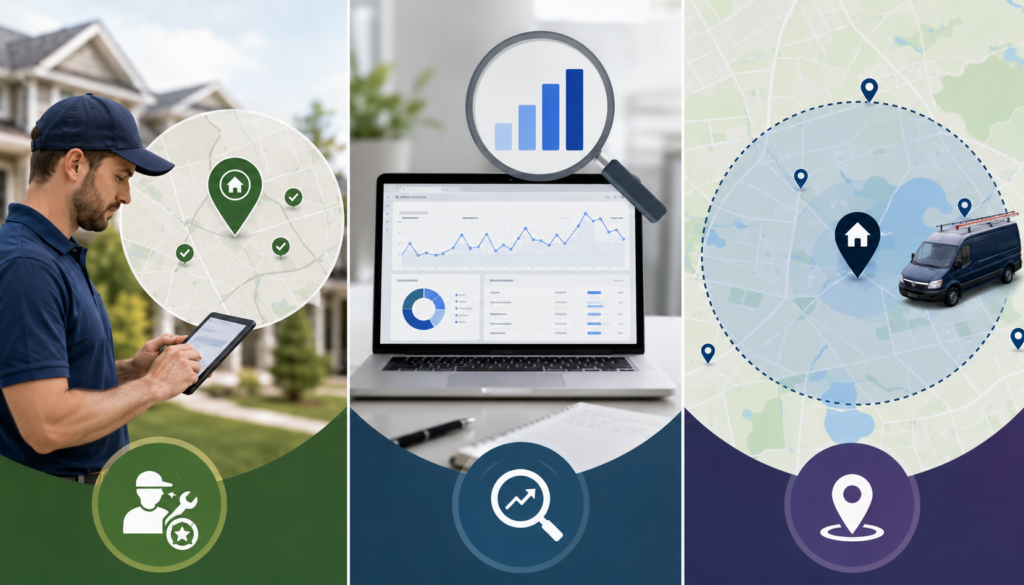
Most home service contractors serve a 25 to 40 mile radius effectively. Beyond that, travel time cuts into job profitability. Build pages for cities where you can realistically respond within your normal operating timeline.
Avoid the Mistake That Gets City Pages Penalised
The biggest mistake contractors make is copying the same city page and only changing the location name.
Google considers these doorway pages because they provide little or no unique value.
A simple test:
If you remove the city name, does the page still offer anything unique?
If the answer is no, it’s likely a doorway page.
How Much Should Be Unique?
Aim for at least 60% unique content on every city page.
The page structure can stay the same, but the content should be written specifically for that location.
| Can Be Reused | Must Be Unique |
|---|---|
| URL format | City name in the URL |
| H1 format | City name in the H1 |
| CTA section | Opening paragraph |
| Schema structure | Customer reviews from that city |
| Basic page layout | Local service details |
| FAQ template | City-specific questions |
Internal Linking Across Your City Pages
City pages should never stand alone. Internal links help Google discover them and pass authority throughout your website.
Each City Page
Links back to the parent service page
/roofing/
Links to your contact or booking page
Links to one relevant blog post
This creates a hub-and-spoke structure that strengthens your main service page while helping each city page rank.
Connect Your Blog
Link naturally from blog posts to relevant city pages.
For example, a blog about roofing materials can link to your Dallas, Plano, or Frisco roofing pages whenever those locations are mentioned.
How Long Does It Take for City Pages to Rank?
| Scenario | Expected Timeline |
|---|---|
| Low competition, established website | 4 to 8 weeks |
| Medium competition, new website | 3 to 5 months |
| High competition, established website | 2 to 4 months |
| Thin or duplicate content | May never rank |
Websites with strong authority, an optimized Google Business Profile, and steady reviews often see results the fastest.
Newer websites or highly competitive markets usually take longer because Google needs more time to build trust.
Ranking is only half the job. Once visitors land on your city pages, the pages need to convert them into phone calls, quote requests, or bookings. A well-designed page with clear calls to action and local trust signals makes the biggest difference.
Frequently Asked Questions
Can I rank on Google Maps in a city where I do not have an office?
How many city pages do I need?How many city pages do I need?
Build one page for every city where you actively complete jobs and where search demand exists. Most contractors who serve a 30 to 40 mile radius end up with 8 to 15 city pages. Start with the 3 to 5 cities where you have the most existing customer evidence and build outward from there.
Will city pages cause duplicate content problems?
Only if the content is actually duplicated. City pages with unique openings, local references, city-specific customer evidence, and individual FAQ sections do not trigger duplicate content penalties. The template can be shared. The content inside it must not be.
Should I link all city pages from my main navigation?
Do city pages help with AI recommendations as well as Google rankings?
What is the biggest mistake contractors make with city pages?
Building them with duplicated content. The second most common mistake is building them and then not linking to them from anywhere on the site. An orphaned city page that nothing links to is a page Google rarely discovers. Build the page and immediately link to it from your main service page and at least one blog post.
Recent Post




Quick Links:
Contact Details:
- Email: : me@okashasammer.com
- Phone: +92-3335232846